Word Connect
ZenLife Games LtdWord
4.8159.76K Reviews
- Version
- 9.1110.527
- Installs
- 50.00M
- Age Rating
- Everyone
Screenshots
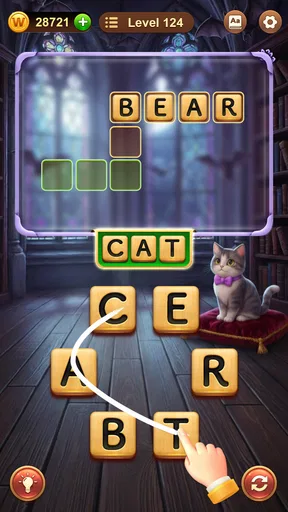
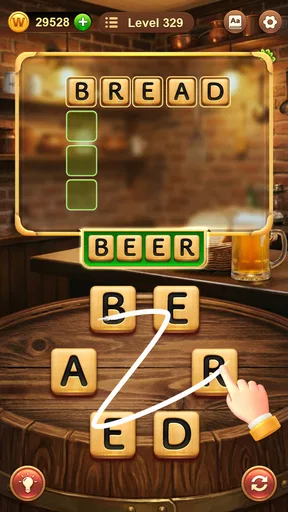
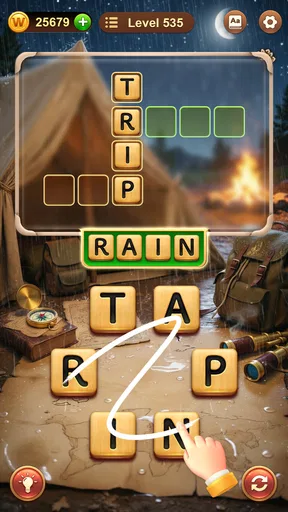
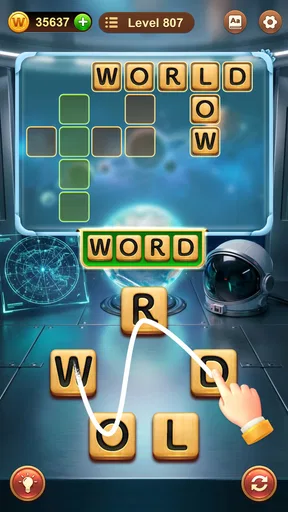
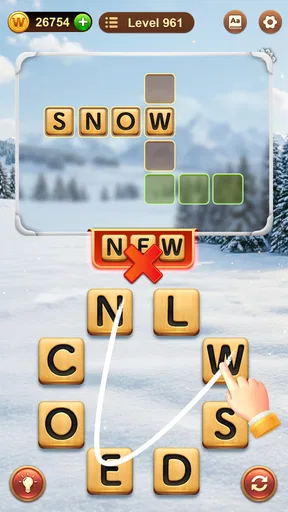
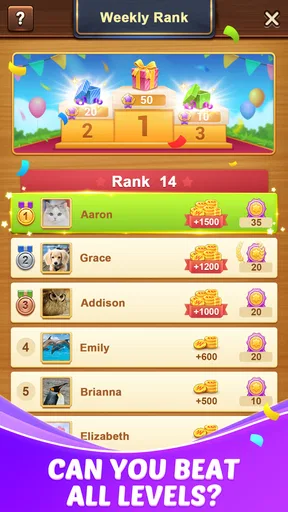
Play Seedcrown


Our Review of Word Connect
 Analysis by Appyee
I judge a word puzzle by how easily it fits into a real day, not just by whether it can hold my attention for one long session. Word Connect works best for me in small gaps: I can open a puzzle, try a few letter combinations, and put the phone down when something else needs my attention. Its simple swiping mechanic keeps the focus on finding words rather than learning complicated controls.
A practical rhythm for short sessions
My usual approach is to scan the available letters before swiping. I look for familiar endings and beginnings, then try short words before chasing the longer combinations. That gives me a useful starting point without turning every puzzle into random guessing. When a word comes to mind, I trace it once and check what remains; leftover letters often suggest a second possibility.
This makes the game a good fit for a commute, a waiting room, or a quiet break between tasks. For example, I might play a level while waiting for a kettle to boil, stop when it is time to get back to work, and return later without needing to remember a complicated story or sequence of moves. It is also easy to share the basic idea with someone nearby: they can look at the same letters and suggest words, even if they do not usually play mobile games.
The trade-off is that this is a focused word puzzle, not a broad language course. I enjoy the little moments of recall, but I would not use it as a substitute for reading, conversation, or a tool that explains vocabulary in depth. If I want a calmer, contained challenge, it suits me; if I want detailed lessons or a richer competitive experience, I would choose something designed for that purpose.
Settings and habits that make play smoother
Before settling into regular play, I would check the game’s available settings and adjust only what affects comfort, such as sound. That matters if you plan to play in a shared room or during a quiet break. The gentle audio can make a session feel relaxing, but silence may be the better choice at work, on public transport, or late at night.
I also find it useful to decide in advance how long I want to play. Because the puzzles are quick to enter, it is easy to tell myself I will solve one more. A simple stopping point—one puzzle, or until a particular break ends—keeps a casual game from eating into time I meant to spend elsewhere. This is especially helpful for younger players, even though the game is rated for Everyone.
Hints are best treated as a nudge rather than an automatic answer button. When I am stuck, I first reread the letters and try a different order; only then do I consider spending a hint. That small pause can make the eventual solve feel earned and helps preserve the game’s central pleasure: recognizing a word for yourself. Since hints use coins, saving them for a genuine dead end feels more satisfying than using one whenever progress slows.
Patterns that help without turning it into guesswork
One useful habit is to separate the search into passes. I start with short, obvious words, then look for longer words that reuse the same letters, and finally check whether a different arrangement reveals anything I missed. It is a more deliberate routine than dragging through random combinations, and it helps me notice that a set of letters can support several answers.
I also try not to assume that the first familiar word is the only worthwhile one. If a longer candidate does not fit, I return to the letters and test a different opening or ending. A quick mental note of what I have already tried prevents repeated swipes, particularly on a puzzle that initially looks more restrictive than it is. These are simple habits, but they make a short session feel less like trial and error.
The daily challenge gives regular players a reason to return, and its coin reward can support the hint system. I would use it as an occasional routine rather than an obligation: missing a day should not make a casual puzzle feel like homework. If I have time, it is a pleasant change of pace; if I do not, the main game is still available whenever I next want a quick word puzzle.
Where this word game fits among alternatives
Compared with a crossword, Word Connect asks for less setup and gives me a more immediate task: work with the letters in front of me and form words. A crossword is a better choice when I want clues, general knowledge, or a larger grid to work through. Compared with a word-search game, this one feels more active because I have to build combinations rather than simply spot words already laid out on a board.
It is also a different kind of experience from a head-to-head word game. I can play at my own pace without needing another person to be available, which is convenient for brief breaks. On the other hand, anyone who thrives on timed matches, direct competition, or social play may find a solo letter puzzle too quiet. The right alternative depends on whether you want independent practice or a shared challenge.
For a free game from ZenLife Games Ltd, the appeal is straightforward: it is accessible, built around vocabulary, and suitable for casual play. There are in-app purchases, with individual items ranging from $0.99 to $99.99, so I would keep that in mind if I share a device with a child or prefer not to make optional purchases. I would also check the purchase controls on the device itself rather than assume that a simple puzzle cannot lead to spending.
Who will enjoy it—and who may want something else
I would recommend it to someone who likes wordplay but does not want a long commitment, as well as to players who enjoy filling small pockets of spare time with a clear goal. Its broad appeal is reflected in an average rating of 4.8 from 1.3 million ratings, and it has passed 50 million installs. Those figures suggest that the format has found a large audience, though whether it suits you still depends on your taste for repeated letter puzzles.
It may be less satisfying if you need constant novelty in the rules or want every session to involve a new mechanic. The core task remains building words from a set of letters, so the gradual rise in difficulty does not change the basic rhythm. I would also skip it if your main aim is structured spelling instruction: solving puzzles can encourage attention to words, but the game is primarily entertainment rather than a guided curriculum.
If you are deciding whether it will run on your device, the current version is 9.214.490 and the minimum operating system is 8.0. It is free to start and carries an Everyone age rating. That makes it easy to try as a casual game, while the optional purchases are worth discussing before handing a phone to a younger player.
My practical advice is to give it a few short sessions rather than judge it by a single puzzle. Notice whether the letter search feels relaxing or repetitive, and whether you enjoy trying to find extra words after solving the obvious ones. If you like that small cycle of scanning, testing, and spotting a better combination, the game has a good chance of becoming a regular break-time habit.
Gameplay That Hooks You In
When I first downloaded Word Connect, I wasn't entirely sure what to expect. The premise seemed straightforward enough: connect letters to form words. But let me tell you, the simplicity is precisely what makes it so engaging. You start off with a jumble of letters and your task is to swipe through them to create as many words as possible. It’s kind of like a digital version of a classic word search you might have tackled in a newspaper as a kid.
The game ramps up in difficulty as you progress through the levels, which ensures you don’t get bored. I appreciated how the challenge increases gradually—it’s a nice balance that keeps you hooked without feeling overwhelmed. Each level is like a new puzzle box, just waiting to be solved. And trust me, once you start, it’s hard to stop!
Features That Enhance the Experience
One of the features that stood out to me is the daily challenge. It’s a neat way to keep things fresh and gives you a reason to return every day. Plus, it’s a fantastic way to earn extra coins, which can be used for hints when you’re stumped.
Speaking of hints, they are an absolute lifesaver. We’ve all been there—staring at the letters, convinced that there’s no possible word to be made. That’s when a hint can guide you in the right direction without outright solving the puzzle for you. It’s like having a friend whispering a clue in your ear.
The graphics and sound effects are minimalist but effective. The serene background music and gentle sound of letters clicking into place make for a soothing experience, which is perfect if you’re looking to unwind.
Why You Might Get Addicted
I think one of the reasons Word Connect is so addictive is its ability to make you feel smart. There’s something incredibly satisfying about finding a long, complicated word in a sea of letters. It’s a little ego boost that makes you want to keep playing just to see if you can outdo yourself.
The game also keeps track of your progress and achievements, which is a nice touch. I found myself competing not just against the game but against my own high scores. It’s a personal challenge that adds to the enjoyment.
Final Thoughts
In a world filled with flashy, complicated games, Word Connect is a breath of fresh air. Its simplicity is its charm, and it manages to provide endless hours of entertainment without being overly taxing on the brain. It’s the kind of game you can play for five minutes or fifty, depending on your mood.
Whether you’re a word game veteran or a newcomer, Word Connect offers an inviting and rewarding experience. So, if you’re ready to challenge your vocabulary and enjoy a bit of mental gymnastics, give it a try. Who knows, you might just find yourself as hooked as I am!
Privacy and Permissions
See what permissions an app requests and how it handles your data.
- Wi-Fi connection information
- view Wi-Fi connections
- Other
- view network connections, full network access, control vibration, prevent device from sleeping, Google Play license check
Verdict
Strengths of Word Connect
- Engaging puzzles enhance vocabulary skills.
- Simple, intuitive interface for easy navigation.
- Daily challenges keep the game fresh.
- Offline mode available for uninterrupted play.
- Regular updates with new levels and features.
Limitations of Word Connect
- Ads can be intrusive during gameplay.
- Limited hints without in-app purchases.
- Repetitive levels can become monotonous.
- No multiplayer or competitive mode.
- Requires internet for daily challenges.
Other Releases by ZenLife Games Ltd
View All


Similar Picks in This Category
View All
Word Search - Word Puzzle Game
Bluetile4.8

Word Search Quest - Puzzles
Blackout Lab4.8

CodyCross: Crossword Puzzles
Fanatee, Inc.4.7

Words of Wonders: Crossword
Fugo Games4.9

Wordscapes: Word puzzle game
PeopleFun4.7

Word Search Explorer
PlaySimple Games4.9
You May Also Like
View All
Frequently Asked Questions
What is Word Connect and how does it work?
Word Connect is a popular word puzzle game available on both Android and iOS. The objective is to connect letters in a grid to form words. As you progress, the puzzles become more challenging, requiring a mix of strategy and vocabulary skills. It's a great way to enhance your spelling abilities and keep your mind sharp.
Is Word Connect free to play?
Yes, Word Connect is free to download and play. However, it does offer in-app purchases that can enhance your gaming experience. These may include hints, additional levels, or ad-free gameplay. While in-app purchases can be helpful, they are not necessary to enjoy the full game.
Does Word Connect require an internet connection?
Word Connect can be played offline, making it a great option for those who want to enjoy a game without needing a constant internet connection. However, some features, like in-app purchases or leaderboard access, may require you to be online.
Are there any age restrictions for Word Connect?
Word Connect is suitable for players of all ages, offering a family-friendly experience. The game’s simple interface and progressively challenging levels make it accessible for children and adults alike. It's an excellent educational tool for younger players to enhance their vocabulary while having fun.
What should I do if I encounter technical issues with Word Connect?
If you experience technical issues with Word Connect, start by checking for updates in the app store, as developers frequently release patches. Restarting your device can also help. If problems persist, contact the app's customer support for assistance. They can provide specific troubleshooting steps tailored to your device.
Play our best games!


